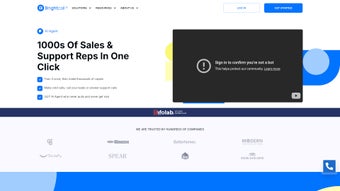

Download Brightcall AI – AI Sales Automation Tool, Lead Dialer, CRM Integration
Introduction & Why Brightcall AI Matters
In today’s hyper‑competitive market, sales teams are under constant pressure to reach more prospects, close deals faster, and keep support tickets flowing smoothly. Brightcall AI answers that call (literally) by turning a sophisticated artificial‑intelligence agent into a 24/7 sales and support representative. Built as a robust web application, Brightcall AI automates both inbound and outbound activities, allowing businesses to focus on strategy while the AI handles the heavy lifting of dialing, routing, and follow‑up.
The platform’s ability to simulate human conversation—complete with customizable personality, voice, and script—means prospects receive a consistent, professional experience every time they pick up. Moreover, its tight integration with popular CRMs ensures every call, note, and outcome is logged automatically, granting managers real‑time insight into pipeline health. For small startups looking for a cost‑effective way to scale outreach, or for established enterprises seeking to boost agent productivity, Brightcall AI delivers a secure, cloud‑based solution that can be deployed instantly without the need for on‑premise hardware.
The result is higher connection rates, shorter sales cycles, and a measurable uplift in revenue—all while keeping compliance and data privacy at the forefront. Whether you’re cold‑calling a list of leads, following up on warm prospects, or handling post‑sale support queries, Brightcall AI provides the technology backbone that turns conversations into conversions, reduces manual effort, and empowers sales leaders to make data‑driven decisions.
Core Features & Capabilities
- Multi‑Line Dialer Suite: Choose between Power Dialer for high‑volume outbound campaigns and Auto Dialer for automated call routing, both supporting simultaneous calls and intelligent call distribution.
- Customizable Call Cadences: Build step‑by‑step outreach sequences that adapt based on lead responses, with conditional logic that can pause, skip, or reroute calls in real time.
- AI‑Driven Conversation Engine: Natural‑language processing lets the agent converse, answer FAQs, and qualify leads in real time, while sentiment analysis highlights hot prospects.
- Deep CRM Sync: Native integrations with Salesforce, HubSpot, Zoho, Pipedrive, Microsoft Dynamics, and generic API/Zapier connections keep contact records up‑to‑date automatically.
- Local Number Optimization: The platform automatically assigns local caller IDs to increase answer rates across regions, and supports toll‑free numbers for branding.
- Persona & Script Personalization: Tailor the agent’s voice, tone, and knowledge base to match brand guidelines, with a library of voice skins and the ability to upload custom audio.
- Analytics & Reporting Dashboard: Track call metrics, conversion rates, and agent performance with visual reports, heat maps, and exportable CSV files.
- Secure Cloud Architecture: End‑to‑end encryption, GDPR‑compliant data handling, and role‑based access controls protect sensitive customer information.
- Scalable Infrastructure: From a single user to enterprise‑wide rollouts, the platform scales on demand without downtime, leveraging auto‑scaling cloud servers.
- Support Ticket Integration: Seamlessly forward support calls to ticketing systems like Zendesk, Freshdesk, or ServiceNow for unified case management and SLA tracking.
Installation, Usage & Compatibility
Brightcall AI is delivered as a pure web application, which means there is no traditional “install” process. To begin, visit the official website, click “Start Free Trial,” and verify your email address. After logging in, the onboarding wizard guides you through the essential steps: connecting your preferred CRM, uploading a lead list (CSV, Excel, or direct API feed), and selecting a local number pool for outbound calls.
The wizard also walks you through creating a call script—complete with conditional branches that the AI can follow based on prospect responses. Once configured, you can launch your first campaign with a single click. The intuitive dashboard displays live call statistics, allowing you to pause, edit, or re‑schedule calls on the fly, and the “human‑in‑the‑loop” button lets a live agent intervene at any moment.
Because Brightcall AI runs entirely in the browser, it is compatible with any modern operating system that supports Chrome, Edge, Firefox, or Safari. This includes Windows 10/11, macOS Monterey and later, as well as most Linux distributions with up‑to‑date browsers. Mobile users can also access the dashboard via responsive design on Android and iOS devices, although full dialer functionality is currently optimized for desktop environments. The platform automatically detects your screen resolution and adjusts the UI for optimal usability, ensuring that sales managers can monitor campaigns from a laptop in the office or a tablet while traveling.
Supported Platforms: Web (Windows, macOS, Linux) – no additional software required. Mobile browsers on Android 12+ and iOS 14+ are fully supported for monitoring and limited call control.
After launching a campaign, the AI agent begins dialing according to the defined cadence. When a call is answered, the AI greets the prospect using the chosen voice profile, delivers the script, and captures responses. All interactions are logged in real time to your CRM, and a summary email is sent to the campaign manager at the end of each day. For teams that prefer a hands‑on approach, the “human‑in‑the‑loop” mode allows a live agent to take over the call at any point with a single click, preserving a seamless transition between AI and human assistance while keeping the conversation natural.
Pros, Cons, Frequently Asked Questions & Final Verdict
Pros & Cons
- Pros:
- Automates repetitive dialing tasks, freeing up sales reps for high‑value activities.
- Local number optimization dramatically improves answer rates.
- Deep CRM integration eliminates manual data entry and reduces errors.
- Highly customizable AI persona aligns with brand voice and tone.
- Scalable cloud infrastructure supports teams of any size without performance loss.
- Comprehensive analytics help managers track ROI and fine‑tune campaigns.
- Secure, GDPR‑compliant architecture protects sensitive customer data.
- Cons:
- Voice synthesis, while natural, may still feel slightly robotic to very discerning prospects.
- Initial setup of scripts and cadences requires time and planning, especially for complex sales processes.
- Full feature set is only available on paid tiers; the free plan is limited to 100 calls per month.
- Advanced analytics dashboards may need a learning curve for non‑technical users.
- Full dialer functionality is optimized for desktop browsers; mobile experience is limited to monitoring.
Frequently Asked Questions
Is Brightcall AI a cloud‑based solution?
Yes, Brightcall AI runs entirely in the cloud, meaning you access it through a web browser without installing any software on your local machine.
Which CRMs does Brightcall AI integrate with?
Native integrations are available for Salesforce, HubSpot, Zoho CRM, Pipedrive, Microsoft Dynamics, and you can also connect via generic API or Zapier for other platforms.
Can I customize the AI’s voice and personality?
Absolutely. The platform offers a library of voice skins and tone settings, plus you can upload custom scripts and define persona traits to match your brand.
Is there a free trial or freemium tier?
Brightcall AI provides a 14‑day free trial with full feature access. After the trial, a free tier is available but limited to 100 outbound calls per month.
How does Brightcall AI ensure data security and compliance?
All data is encrypted in transit (TLS) and at rest (AES‑256). The platform complies with GDPR, CCPA, and industry‑standard security certifications, providing audit logs and role‑based access controls.
Final Verdict & Call to Action
Brightcall AI positions itself as a game‑changing ally for any sales organization that wants to modernize outreach without inflating headcount. Its blend of AI‑driven dialing, deep CRM sync, and customizable persona makes it stand out from generic autodialers. While the voice still carries a hint of synthetic tone, most prospects respond positively, especially when the script is well‑crafted.
The platform’s pricing—starting with a generous free trial and scaling with usage—offers a low‑risk entry point for SMBs, while larger teams can benefit from the enterprise‑grade analytics and scalability. If you’re looking to increase connection rates, shorten the sales cycle, and free up your human agents for relationship‑building, Brightcall AI is a compelling investment. Ready to supercharge your sales pipeline?
Download Brightcall AI now and start your free trial today.



.png)



